
Actions and Models
Besides Lutz Mode (described in Quick Start), Brokk supports a lower level of manual control. You can click on the arrow in the Lutz button to select a different action, or use the hotkey (Ctrl/Cmd + M) to toggle between them:
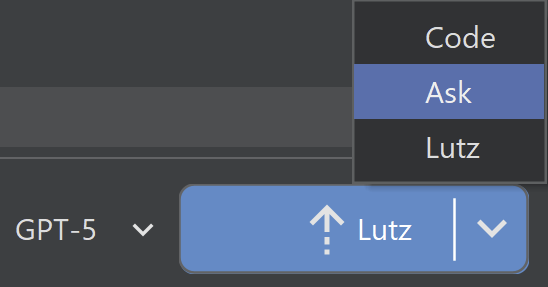
Ask
Ask allows you to ask questions about the current Context. No additional search is performed; this makes it significantly faster if you already have appropriate Context available.
Code
Like Ask, Code operates on your current Context. The difference is that Ask will never make changes, and Code will try to make changes to solve your Instructions if at all possible.
Configuring Models
Select Manage in the model dropdown next to the Lutz button to configure your models. (This is also available in the global Settings dialog.)
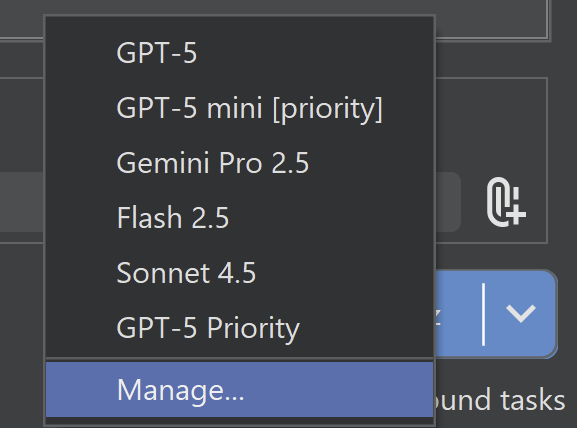
The models you add to this dialog will appear in the Instructions panel for use with the selected settings.
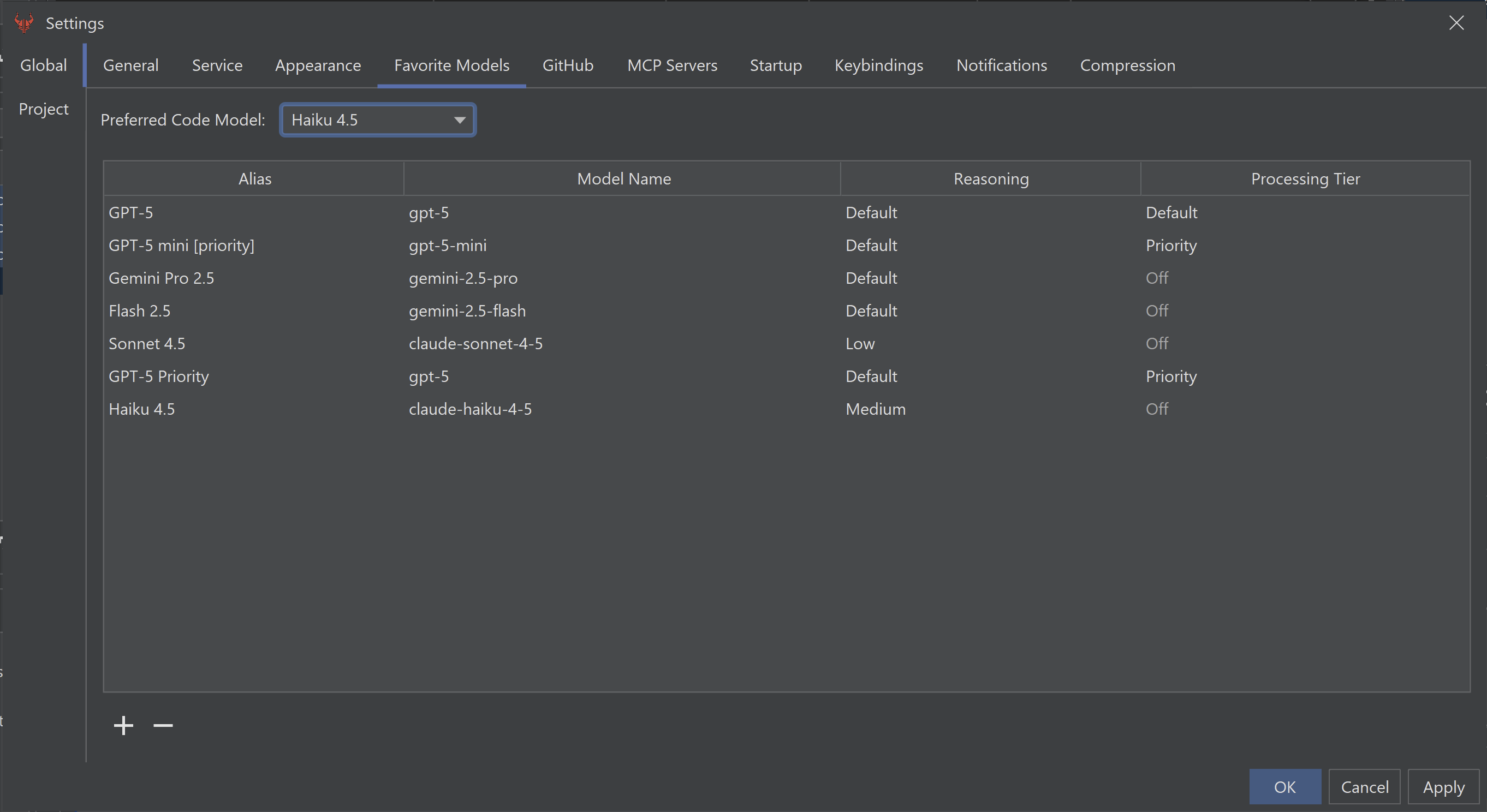
This is also where you can set your preferred code model. This is used in Lutz Mode for the coding sub-tasks, while the model from the Instructions dropdown is used for planning. This allows you to use a faster/cheaper model like Haiku for coding, while keeping important planning running on a smarter/more expensive model.
The Brokk Power Ranking can shed some light on which models you should consider using.
Next: Reviewing Your Work