
Mjolnir Web: Remote Agentic Coding with Tailscale Integration
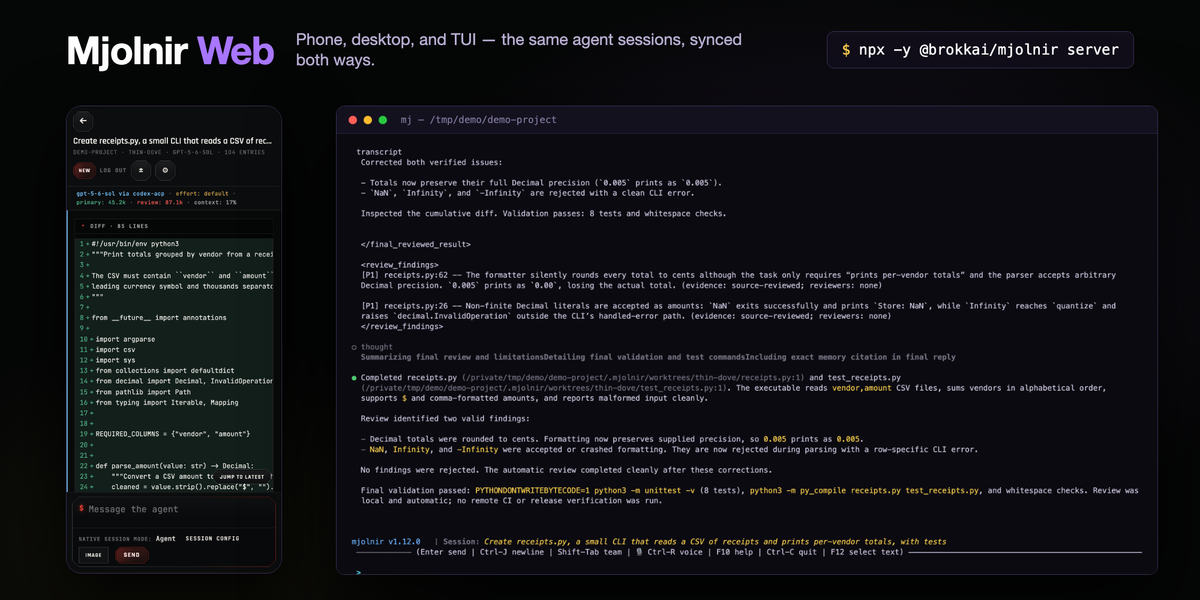
One of the great promises of agentic coding is that we can spawn a bunch of sessions and tasks and just monitor them. We don’t even technically need to be at our computers — most of this is plain English, and then I just need to do code reviews for sanity checks and some manual testing. You think to yourself, “I can probably do 80% of my job from my phone instead of spending all day staring at my desktop.”
I thought that too. I bit into it hard and used everything Claude and Codex have to offer, and while I’m appreciative of their efforts, I was honestly underwhelmed.
Claude remote-control
Which one? The one you use with the desktop app (Dispatch, I think) that gives you an uber-thread and sort of launches child sessions? Or claude remote-control, which lets you launch up to 32 headless sessions in a given directory — so you’re spawning a bunch of these across your various projects before you go out to lunch? Or the one that, once you enable it, ships your sessions up to the cloud so you can drive an open terminal session remotely? Is there a single command you run to get all of that? Is any of this coherent? Did anyone reading this even know about all of those options?
Codex remote-control
You have to do some complicated login-code thing with the app, and then it eats battery pretty badly. OK, but it’s still really useful, right? And not nearly as complex to set up as Claude. Oh — it only works with the desktop app? What if you use the TUI? Oh, there’s this handy codex remote-control command. Experimental, though. And your existing sessions aren’t automatically mirrored in both directions between the TUI and the remote.
Introducing Mjolnir Web
So after some very, very frustrating months with both, I wrote Mjolnir Web. With one simple command, mj server, you get the following:
- Web sessions not connected to a Mjolnir TUI, so I can spawn new work from wherever I am
- Existing Mjolnir sessions immediately sync in both directions
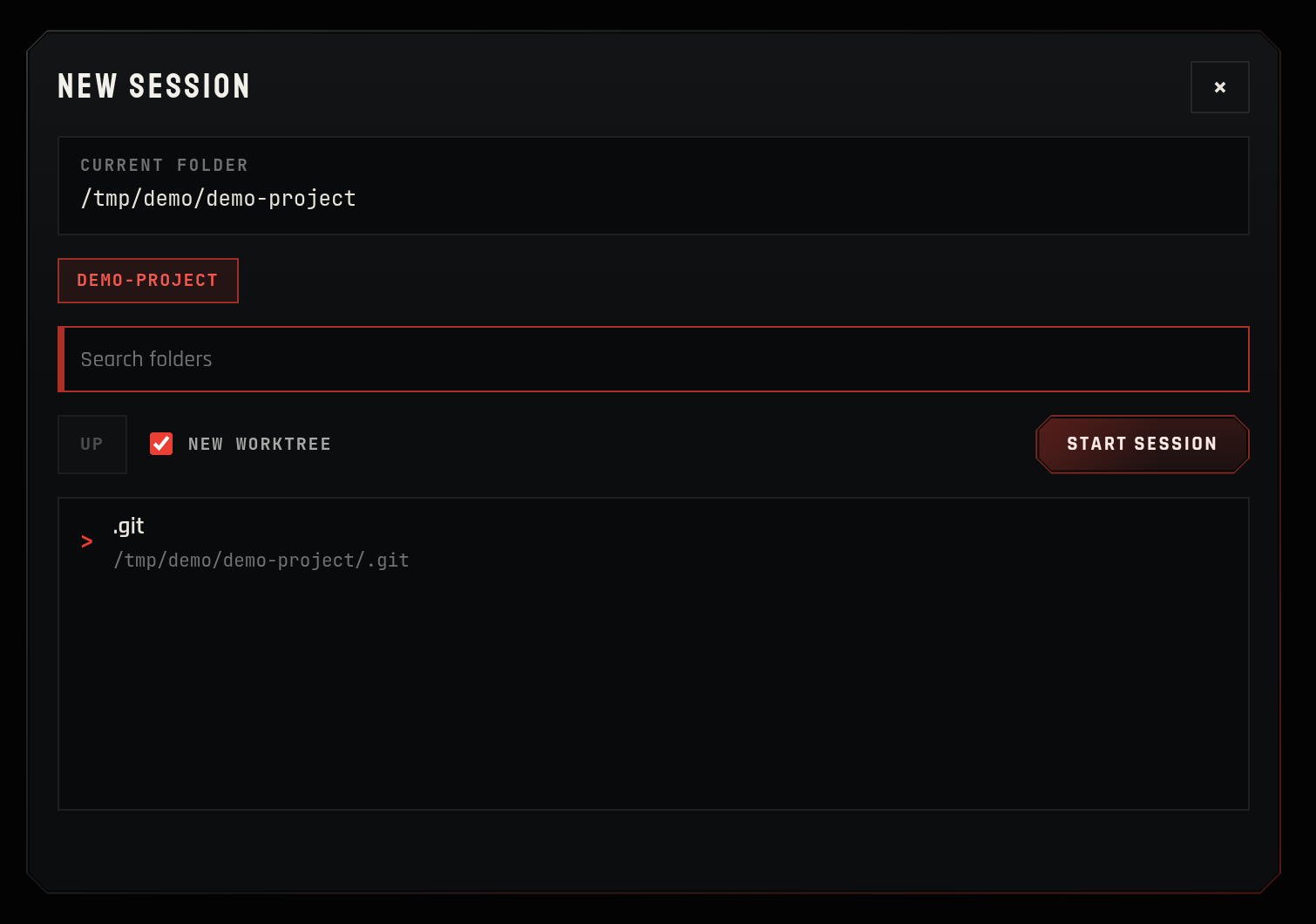
- Worktrees built in for parallel workflows, so agents don’t smash into one another
- The ability to resume existing closed sessions and pick up old work
- A PWA that just works on a phone — drop-dead simple setup
- Secure: pinned TLS certificates so your client knows it’s really your server, plus token pairing and signed session cookies so your server knows it’s really you
- It doesn’t kill your battery
- A nice desktop alternative to the TUI, if that’s your preference
- A UI that mirrors the Mjolnir TUI as much as possible, for a familiar experience and limited context switching
- Access from anywhere if you have Tailscale set up (it is automatically detected if active)
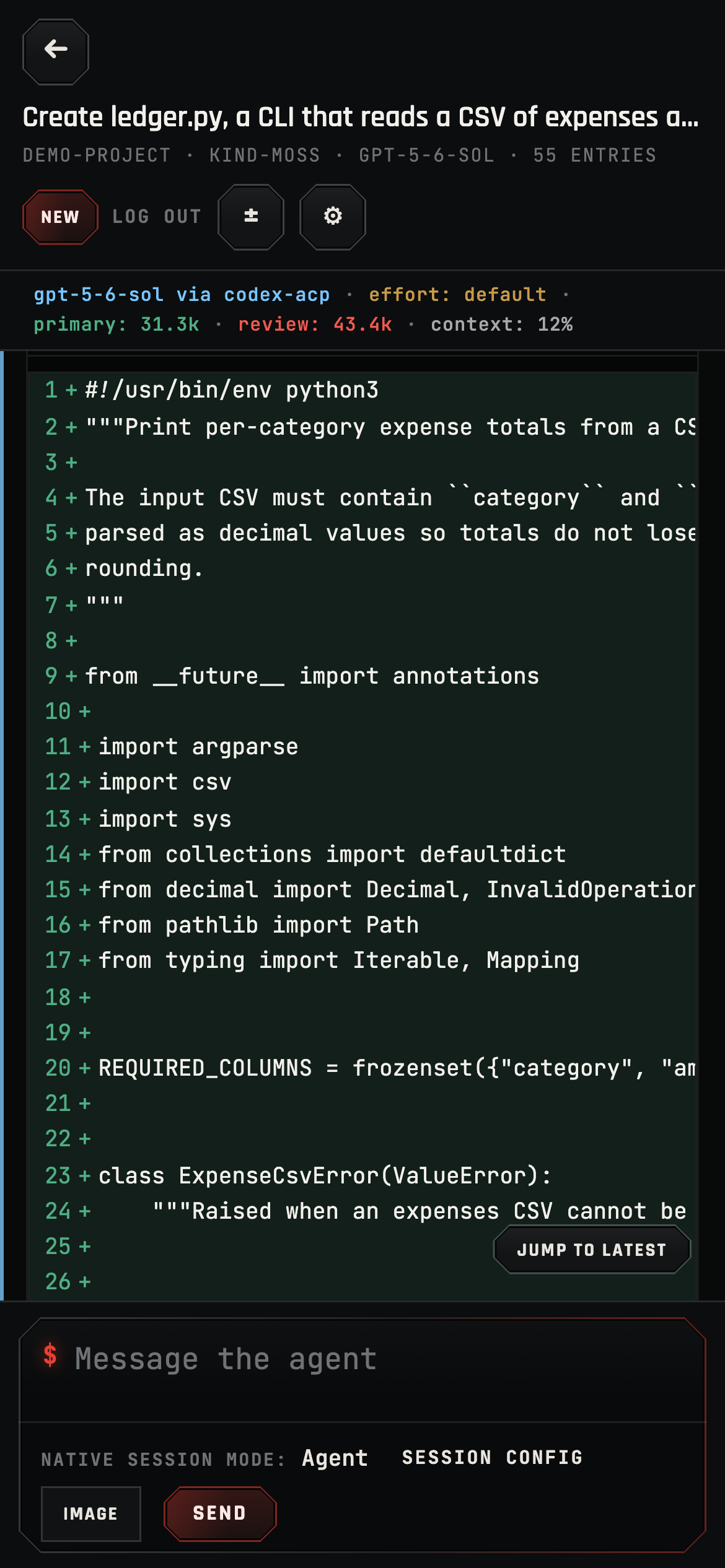
Here’s what that actually looks like. Reviewing a diff from my phone:
Starting fresh work is one dialog — pick a folder, tick the worktree box, go:
And the full session view on a desktop, if you want the bigger picture — live diffs, terminal output, and per-seat token usage, mirroring the TUI:
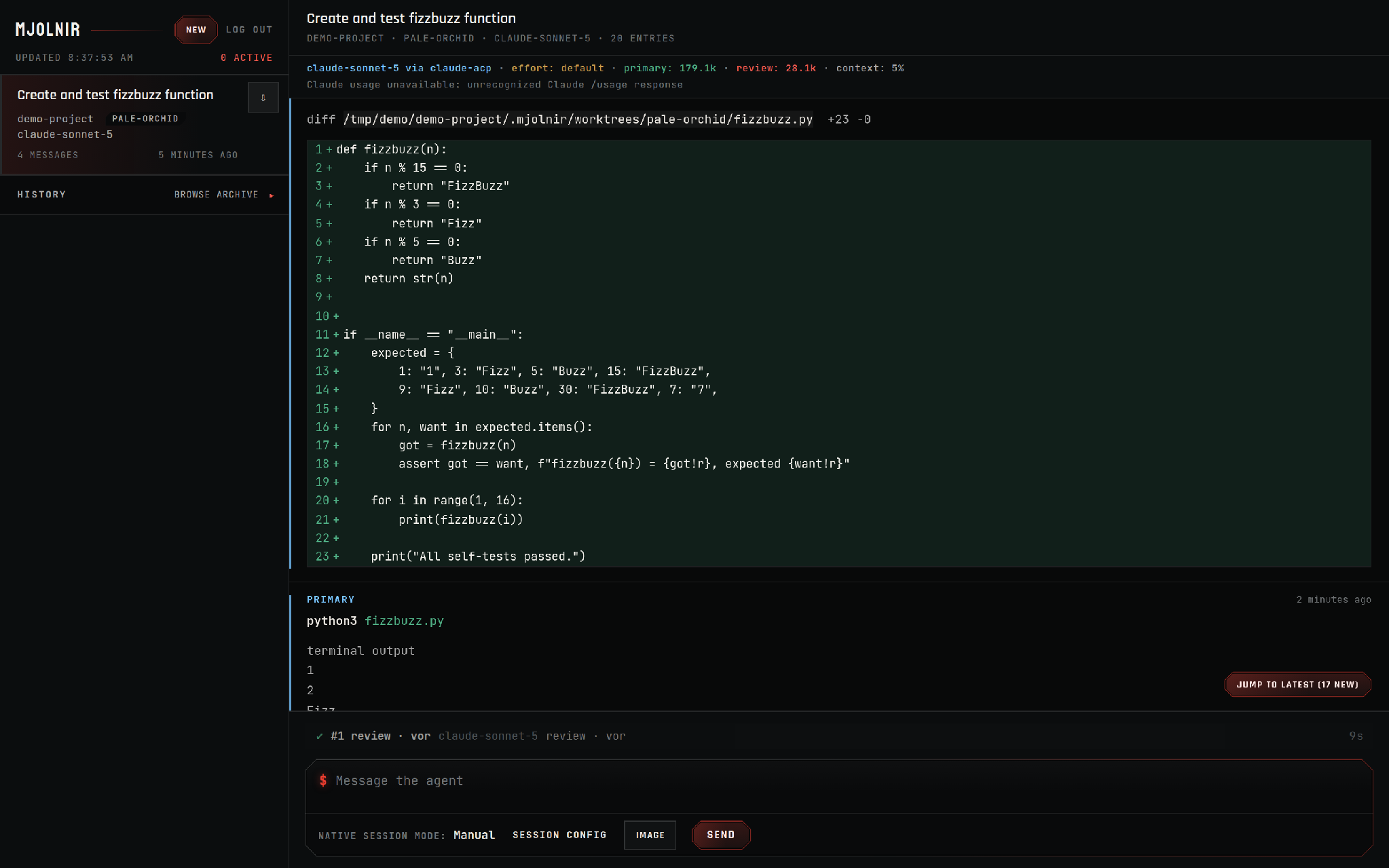
Look closely at that screenshot and you’ll notice something else that neither Claude nor Codex gives you: Mjolnir’s adversarial review ran right there in the browser. What is an adversarial review you may be asking? Every set of changes gets challenged by an independent reviewer before I ever look at it, so the code review I do from my phone is a second pass, not the first line of defense. That pipeline deserves its own write-up: Mjolnir’s Automated Cross-Vendor Adversarial Review.
Security
A quick word on security, since you’re about to point your phone at the machine you get paid to work on.
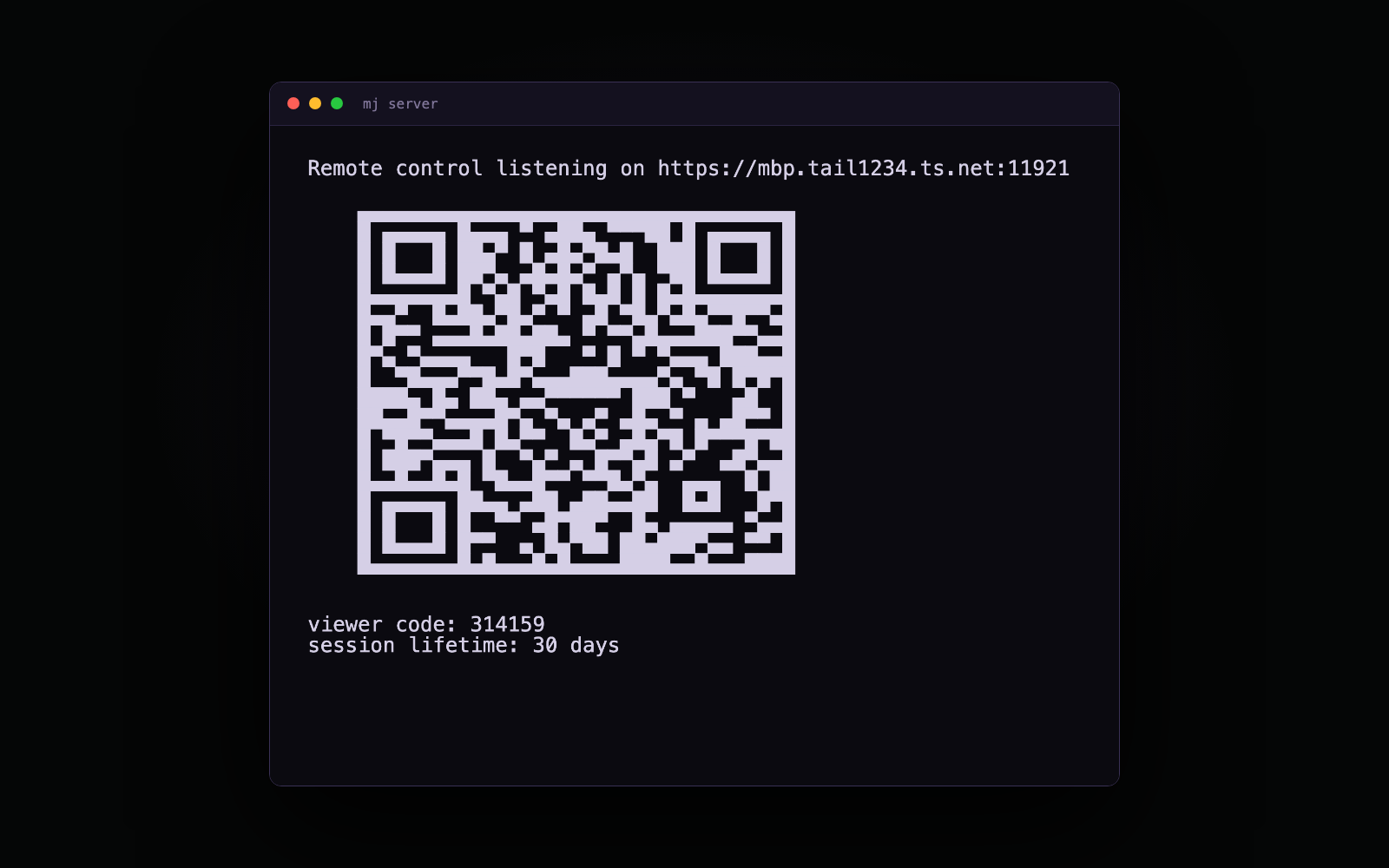
Everything rides on TLS. On a Tailscale node with MagicDNS and HTTPS certificates enabled, mj server fetches a real certificate for your machine’s ts.net name and renews it — no warnings, no “accept the risk” buttons. Everywhere else it generates its own certificate and clients pin it, so your phone knows it’s really your server and not something in the middle. Without Tailscale or an explicit --hostname, the server doesn’t expose anything at all: it binds loopback only and doesn’t even print a QR code.
The QR is a pairing shortcut, not a password. It carries a login token; once a device signs in, it holds a signed session cookie instead — 30 days by default, tunable with --session-ttl-days, or 0 for a session that dies when the browser closes. On the machine itself, the six-digit viewer code does the same job. And if a phone walks off into the world, mj server --logout-all rotates the cookie signing key and signs every device out, while pairing keeps working for the devices you actually own.
Conclusion
With Mjolnir Web I can do everything I need to get my job done no matter where I am, and setup takes seconds instead of minutes. Unlike with Claude, I don’t have to run claude remote-control in every project I might want to touch before I go out. Unlike with codex remote-control, I don’t have to try to remember what I typed in the remote UI when I get back to my TUI. And of course neither of those lets you manage the others’ sessions, or even easily switch between personal and work subscriptions for the same service.
We’ve built a no-compromises experience with Mjolnir Web. And because Mjolnir itself is a frontend for Codex and Claude Code (thanks to the Agent Client Protocol), you keep your existing subscription and models — you just get way more productive when you’re away from your desk, and, more importantly, spend less time setting it all up.
Head over to https://mjolnir.brokk.ai/ to get started — or just run npx -y @brokkai/mjolnir server.