
Muse ACP: Wire Muse Spark up to IntelliJ, Zed and whatever else
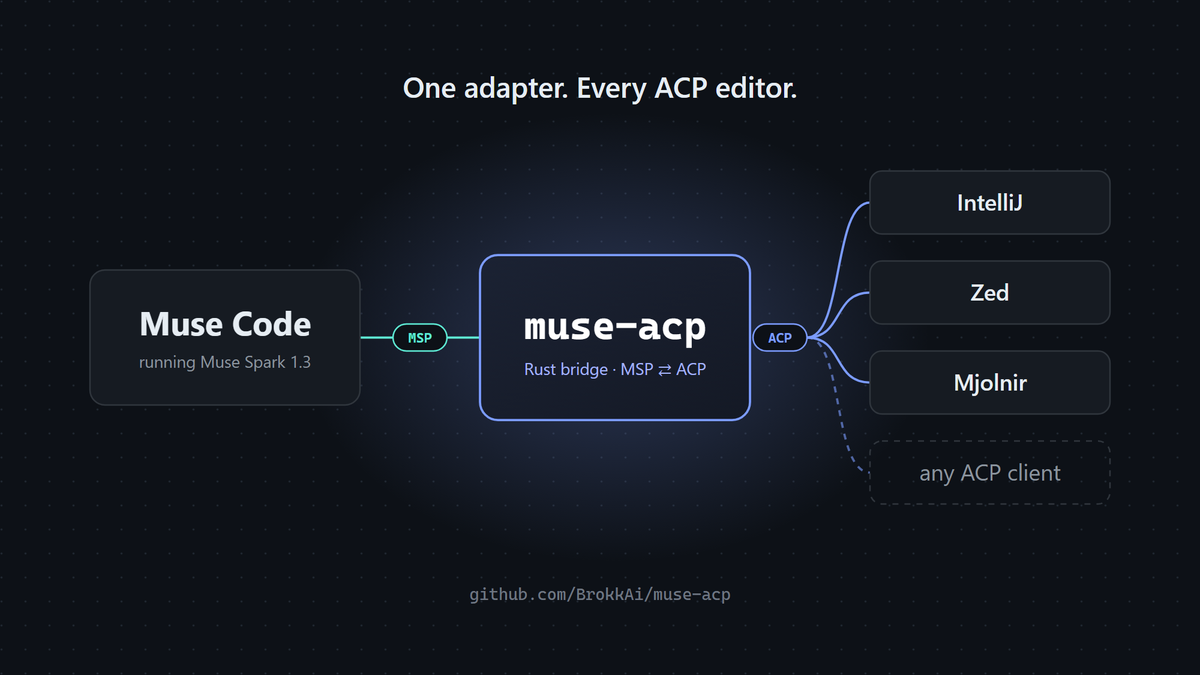
We make heavy use of the Agent Client Protocol (ACP from here on) so that we can wire up whatever model or harness we want to whatever front end we want (today the front end is Mjolnir principally). With ACP we are able to create a new Client or a new Agent and wire them up to a large ecosystem of already completed work, saving us a ton of time in integration work. Once you have written your ACP Client you have a large list of ready-wired ACP Agents to choose from. You even have a registry. Likewise, a new ACP Agent wires up instantly to many Clients.
Muse Spark 1.3: Value King
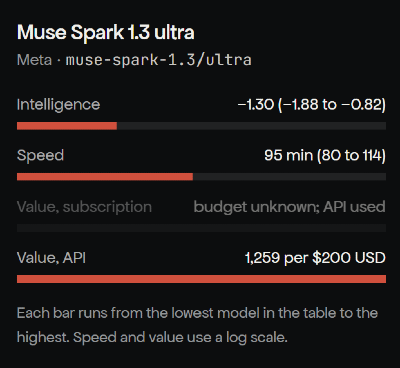
Meta released its first competitive model in a very long time, Muse Spark 1.3, which, according to our benchmark, scores ok in intelligence but is fast but is very affordable. So we like to use it for well-defined tasks that are not too demanding.
Enter Muse Code
Muse Code is Meta's equivalent of Claude Code, Codex, or OpenCode, a tool harness that allows the LLM to do actual stuff in the real world. As of today it has no native ACP support and I do not know if they have any planned. Therefore, I went looking around for the community options and, at the time, the ones I found were either barely maintained (one commit) or were not using MSP (Muse Session Protocol, Muse Code's native protocol), so I wrote one!
Enter Muse ACP
So I have written a lot of ACP Agents now and can usually complete one in short order that supports the entire v1 spec and a chunk of the still shifting v2 spec. I tend to use Rust or Go depending on the needs and in this case I chose Rust since the Agents (Claude, Sol and friends) tend to like it. Shortly after starting I had the MSP server wired up (the Agents were really against it at first and wanted to just shell out to Muse Code directly). One week later, Mjolnir was using Muse Code, allowing us to use our favorite front end with an affordable model and effective tooling harness. Since then we've added support for plans, goals, permission approvals, full sessions, editor MCP server forwarding, and terminal login. You can follow our roadmap for progress.
Using It With IntelliJ and Zed
You'll need Muse Code installed and logged in first (muse login), and Node.js 22+ if you install from npm.
Install the adapter:
npm install -g @brokkai/muse-acp
muse-acp --selftest
Prefer not to use npm? There are also one-line installers for Linux, macOS and Windows on the releases page.
Then let muse-acp register itself with your editor:
muse-acp install            # Zed
muse-acp install-intellij   # IntelliJ IDEA and other JetBrains IDEs
Both commands keep your existing editor settings, write a .bak backup first, and are safe to re-run. Add --dry-run if you want to see the change before it's made.
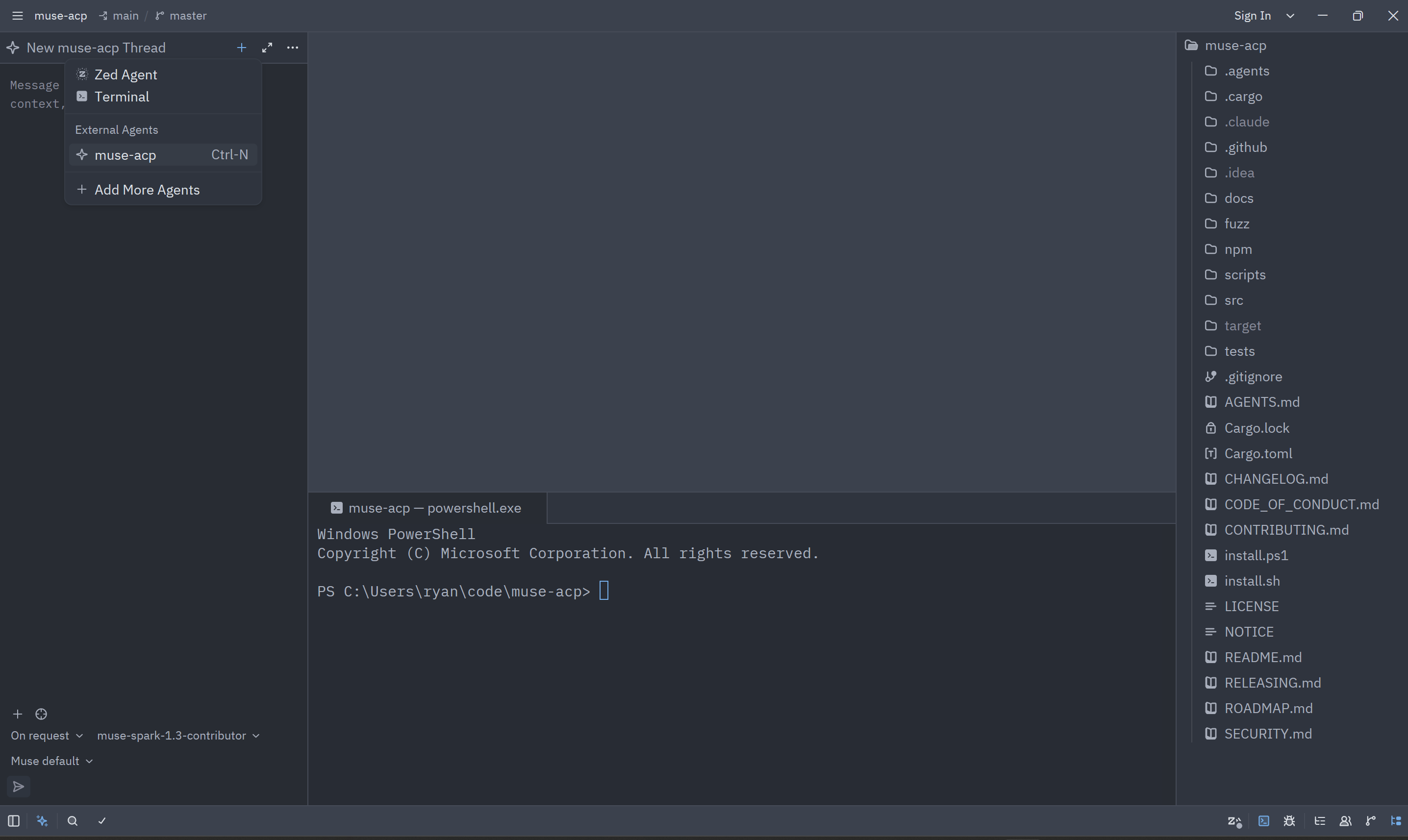
In Zed, open the Agent Panel, start a new thread and pick muse-acp.
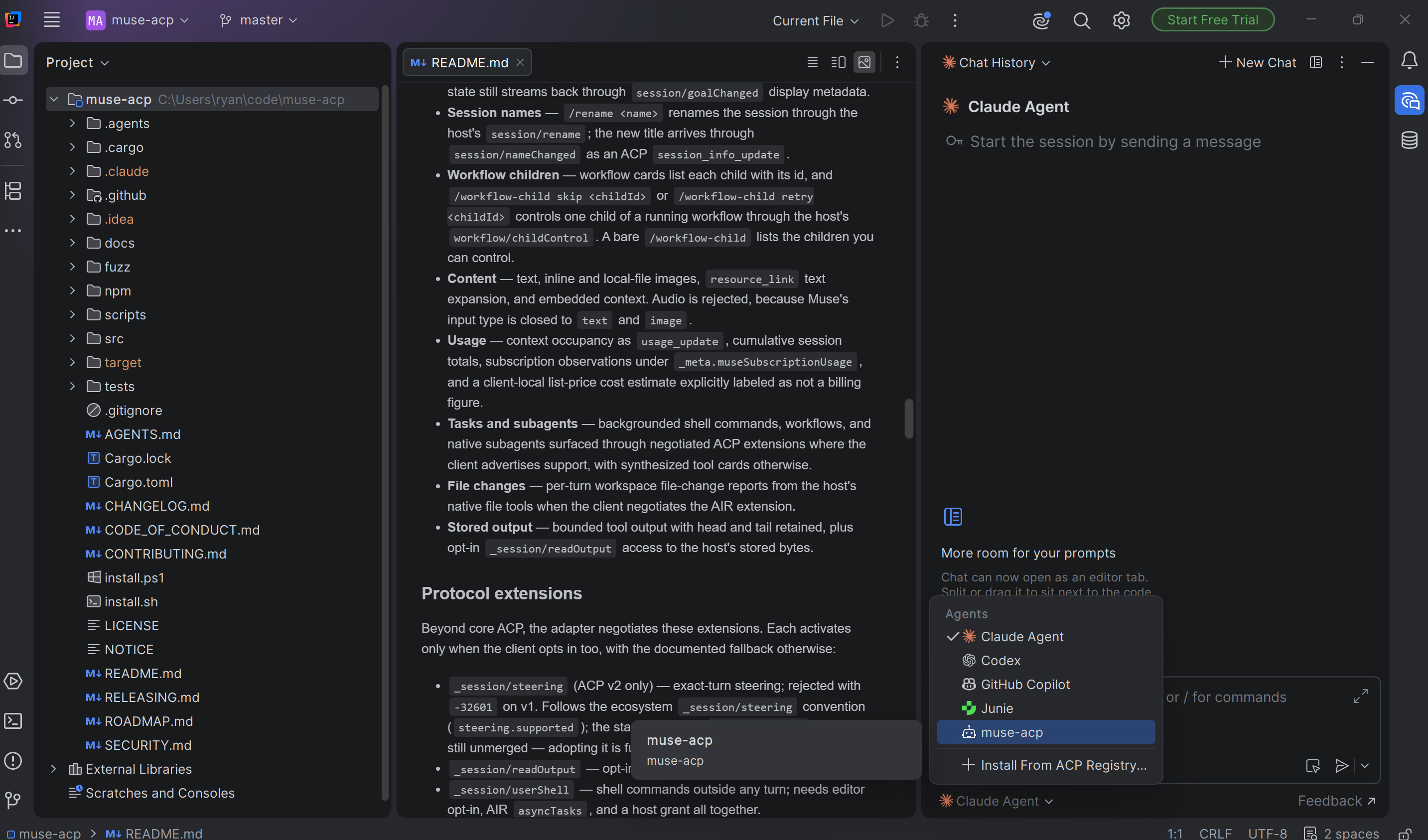
In IntelliJ (or any JetBrains IDE), open AI Chat and select muse-acp.
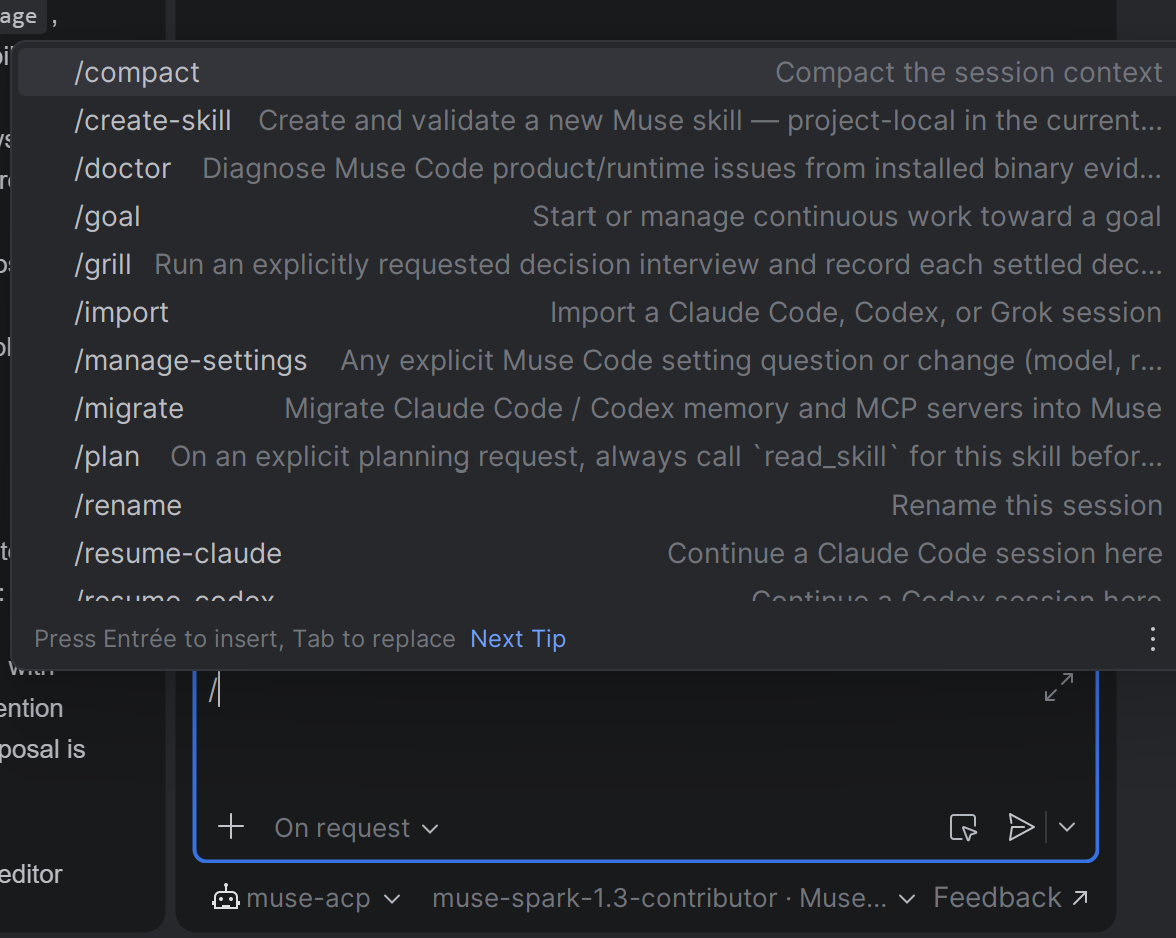
That's it. You're now running Muse Spark through Muse Code's own session engine, tools and approval flow, right inside your editor. Any other ACP Client can launch muse-acp directly over stdio.
Using It With Mjolnir
In Mjolnir we baked it right in, so no extra step.
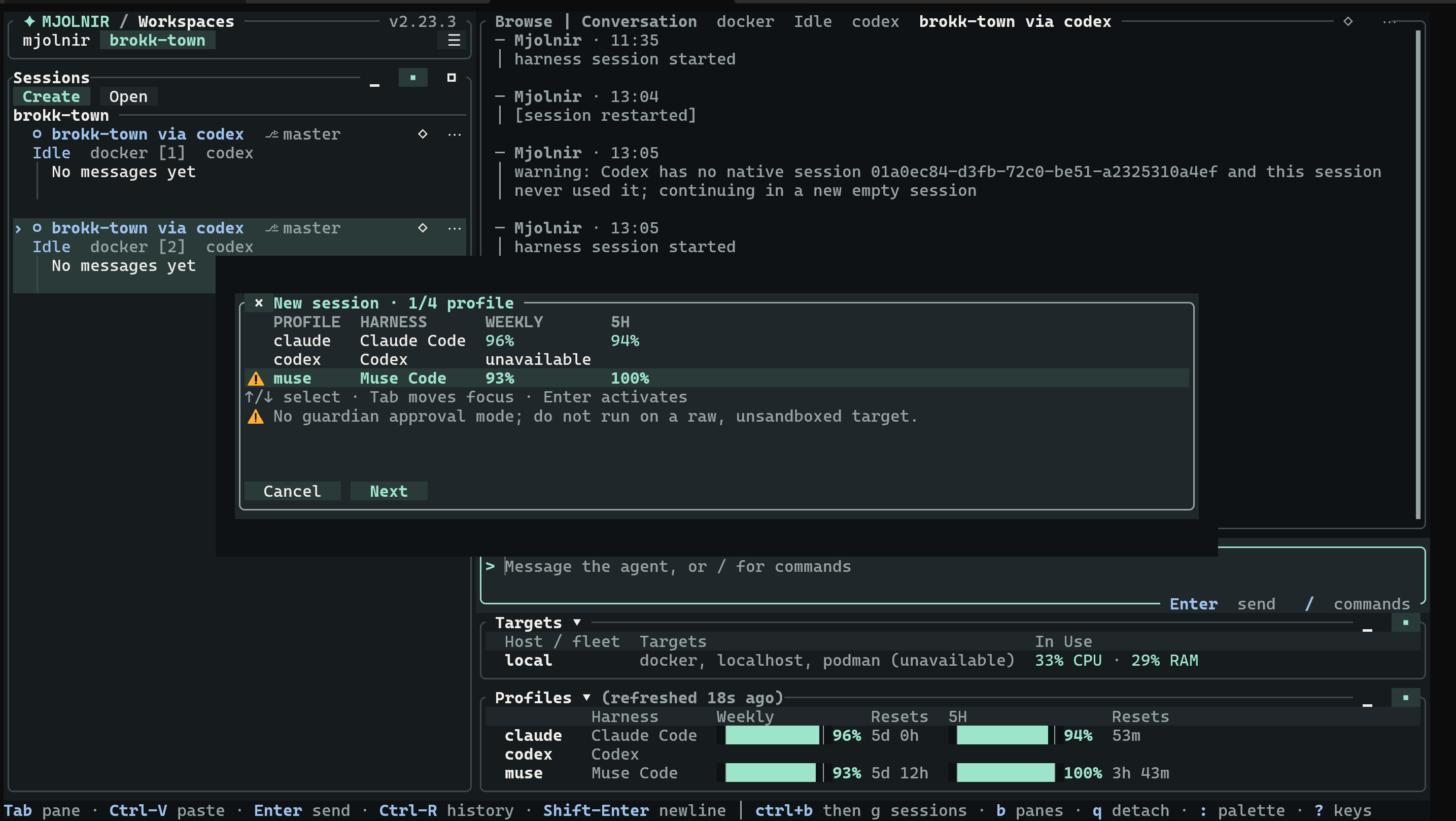
You will notice the lack of a guardian mode; that should be fixed soon. It is a lower priority for Mjolnir because it ships with strong sandboxing support. Otherwise you can get to work.
Final thoughts
Overall I am pleased with Muse Code even if I wish they exposed more things over MSP like Auto Review, and that it had a tool to escalate out of the sandbox like Codex does. Nevertheless, for the money I am pretty happy with the result. Let me know what you think on GitHub.